How to Get Non-Technical Teams to Use Jira:
By The Quely Team — Quely editorial team
You've invested weeks building the perfect Jira workspace: intuitive workflows, helpful templates, and custom fields tailored to your team's needs. Yet nobody on the team uses it. Product owners update tickets manually post-standups, and marketing teams go back to spreadsheets because they view Jira as a "developer-only" tool. If you're struggling to get your non-technical teams to use Jira, you're not alone. In this article, we will share really simple ways to get non-technical teams to adopt Jira as part of their workflow.
Why Non-Technical Teams Should use Jira
Let’s start with a simple truth: Most non-technical teams don’t care about Jira. But it’s worth their time because successful cross-functional teams don’t use Jira because they’re forced to—they use it because it transforms how their work is perceived and executed across the organization.
Why Non-Technical Teams Resist Jira (and What to Do About It)
Most efforts to get teams to use Jira rely on mandatory training or strict enforcement. These fail because they focus on the tool not the outcomes that matter to non-technical teams. Successful adoption happens when teams see how Jira amplifies their impact and makes their work easier.
1. Threat to Professional Identity: Non-technical teams often see Jira as a "developer tool" that will impose engineering workflows onto their creative or strategic processes. Marketing teams fear creative constraint, design teams worry about creative autonomy, and business analysts resist standardization that doesn't fit their analytical work.
How to overcome it: Frame Jira as a tool that protects their time and amplifies their work's visibility. Show examples of how other non-technical teams in similar roles successfully customized workflows to their needs.
2. Fear of Over-Visibility and Surveillance: Greater visibility can mean greater scrutiny. Non-technical teams worry that task granularity and status updates will be used to monitor productivity unfairly, judge their work patterns, or justify budget cuts.
How to overcome it: Be transparent about how data will be used. Establish clear norms: Jira is for coordination and transparency, not performance monitoring. Consider implementing a "focus time" policy where status updates aren't expected outside core hours.
3. The Context-Switching Cost: Sometimes, the resistance isn’t just about mastering a new tool. It could also be constantly switching between tasks to update tickets. These interruptions feel like an additional task.
How to overcome it: Design workflows with minimal interruption. Use Slack/email integration to allow quick updates without opening Jira. Then set expectations around task updates.
4. The Value Gap (Burden Falls on Non-Technical Teams, Benefits Accrue Elsewhere): The benefits of Jira adoption (better project visibility, coordination, resource allocation) often serve project managers, while the day-to-day burden of ticket creation, status updates, and comment management falls on non-technical teams. This creates a "I do the work, others get the benefit" perception that makes more people reluctant to get on board.
How to overcome it: Make the value proposition visible and personal. Show how Jira protects marketing from scope creep, helps design teams advocate for timeline needs, or helps content teams justify resourcing. Focus on team-level benefits, not org-level benefits.
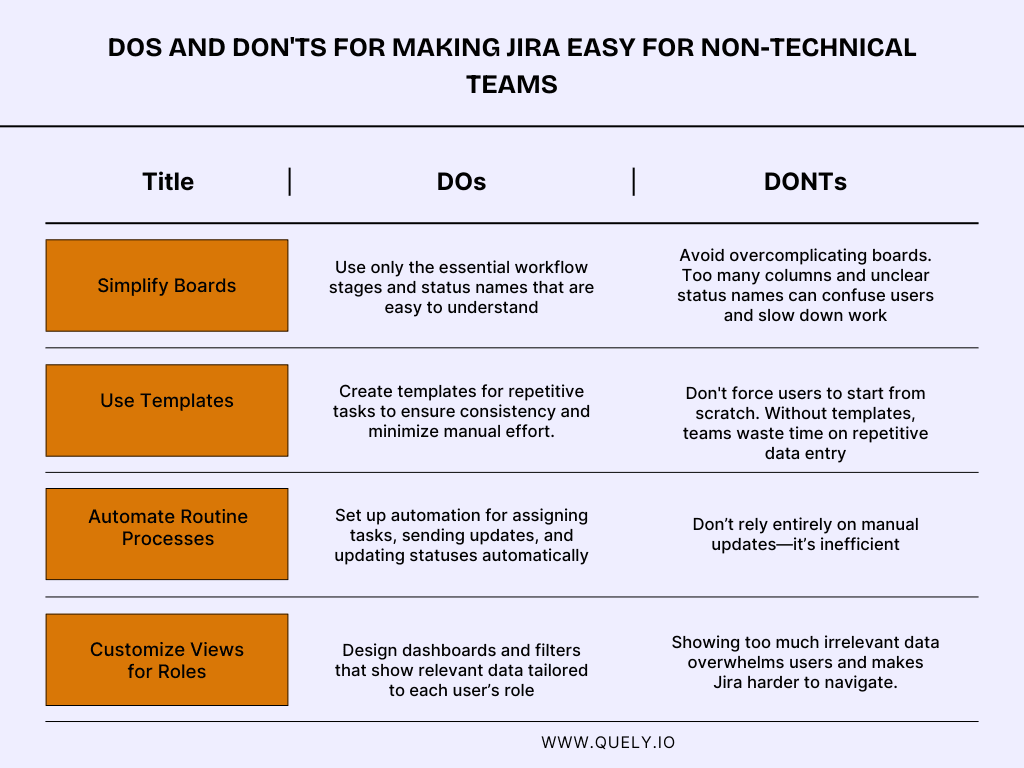
Effective Rollout Strategies to Get Non-Technical Teams to Use Jira
1. Start with a Pilot Group But Choose those Who Can Actually Convert Others
Most companies pick their pilot users wrong. They recruit the enthusiasts, people who'll adopt anything new. The problem is when they succeed, nobody else cares. Their buy-in doesn't prove the tool works especially for for skeptics.
If you want your pilot to drive real adoption, you need the opposite: pilot users who are credible to the skeptics. That means:
Respected peers whose opinions people actually listen to
Moderately skeptical, so their adoption signals genuine value, not just personal preference
Visible in the organization so others actually see them using it daily
When a respected skeptic switches to Jira and discovers it works? That moves the needle. Their colleagues think, "If they bought in, maybe there's something valuable here." That's far more persuasive than an evangelist's enthusiasm.
Keep your pilot tight, 3 to 4 weeks with weekly check-ins. Your goal is to surface both real obstacles and quick wins you can share with the broader team. Those two things, surfaced early, are what drive the next phase of rollout.
2. Integrate Jira with Existing Workflows (Don't Make Teams Switch Contexts): One of the concerns around adopting a new tool is context switching. To solve this, your adoption strategy should be: don't make teams come to Jira. Bring Jira to them.
How to choose which integrations to prioritize:
Start with your team's primary communication channel. That's your highest-ROI integration because it removes the biggest friction point. Then layer in the others as they begin to use it.
Email integration is your starting point if your teams work asynchronously. The appeal is clear: forward an email into Jira as a ticket (context preserved), and let people respond to updates via email without ever opening Jira. Set up daily digests instead of real-time notifications, and you've cut down excessive notifications while keeping people informed. The adoption curve is easier; people already know how to use email.
Slack integration is your accelerant if the team uses Slack a lot. A slash command turns a discussion into a task instantly. Relevant notifications stay in team channels (keeping context local), and people update statuses without leaving chat. This drives faster engagement than email, but requires more initial setup and buy-in.
Calendar integration matters if you work cross-functionally and have to meet up with numerous deadlines. Sync milestone meetings to ticket deadlines automatically, and send calendar invites for important dates. This one prevents the most common failure: forgotten deadlines.
The sequencing matters: start with your team's strongest channel, prove the value there, then expand. Don't try to integrate all three at once.
3. Design Tailored Training Around Workflows, Not Features.
Generic Jira tutorials fail because they teach the tool, not the job. People don't care about backlog management. They care about shipping campaigns on time or unblocking designers. They’ll easily forget training that doesn't map to their actual workflow.
Your training strategy should be ruthlessly specific: 15–30 minute guides that show each team how Jira solves their problems.
Start with their workflow, not Jira's features. A marketing team needs to see how Jira tracks campaign milestones and content deadlines. Designers need to see how it manages review cycles and feedback loops. Business analysts need requirements capture and handoff docs. The moment training feels generic, you've lost credibility and adoption momentum.
Make training hands-on and peer-led. Lecture formats don't stick. Have people practice in a sandbox with their actual workflows. Better yet: have respected team members train their peers. They know the shortcuts, the common mistakes, the why behind each step in ways IT rarely does. That credibility compounds adoption.
Then anchor it in writing. Live training is great for engagement, but people forget. Create written quick-start guides they can reference when they're actually trying to do the work. Accessible documentation is the difference between a training session people remember and a system people actually use.
The real metric for training success isn't completion. It's velocity. Teams should log a ticket and update its status within their first 15 minutes. If they can't, your training didn't stick, and neither will adoption.
Tips for Addressing Resistance
Instead of just reacting to objections, adopt a consultative approach. Understand why the team is resistant. Here's a better way to handle those common objections:
"We're Too Busy"
They're not saying they lack time. They're saying Jira feels like additional work. Don’t jump i and create tickets for them. It creates dependency, not adoption.
Instead, reframe Jira as a time saver. Pick one workflow they currently struggle with and walk them through it. "I see you're tracking [project] across email and a shared doc. That's three steps and two context switches per update. Jira would be one place—saves you 2–3 hours a week on coordination alone. Let me show you how in 15 minutes." They'll feel the difference concretely because it ties to their actual pain point and time flow.
"Our Current System Works"
They've invested in something, and switching feels risky. Don't try to replicate their workflow in Jira or run parallel systems.
Respect what they've built. Say: "Walk me through your current process. I want to understand what's working." Then listen for the one place where visibility breaks down or handoffs get messy. That's your pilot: "We could run just this piece through Jira. No replacement, no disruption to the rest." Lower risk, higher credibility. They're choosing the pilot, not you imposing it.
"Jira's Too Complicated"
Showing advanced features or admin capabilities confirms their fear. Instead,strip it down. "For your role, you need three actions: log a ticket, check assignments, and update status. That's 1 click, 1 page, 1 dropdown. Let me walk through a real project from last month in 10 minutes and you'll see exactly what you'd do differently." Tie it to their past pain: "Remember when the miscommunication happened mid-project? This prevents that." Complexity disappears when they see concrete examples.
What happens next:
Once they're moving, keep it lightweight. A 2-week pilot (not a months-long rollout), a dedicated support person, and weekly check-ins to surface quick wins. Those wins are your proof point for the rest of the organization.
Conclusion
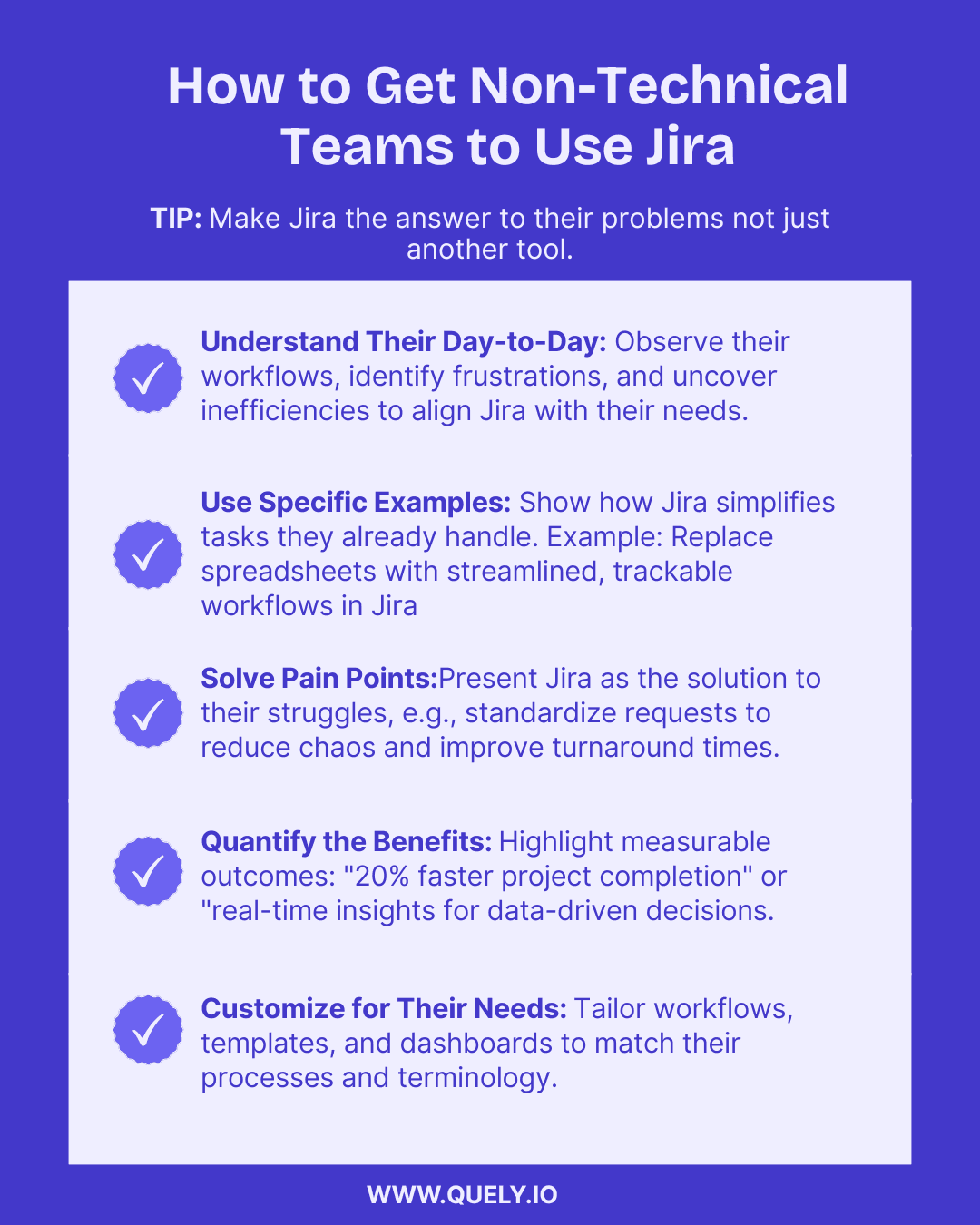
Getting non-development teams to embrace Jira isn’t about forcing a tool on them—it’s about showing how it can make their work easier, more visible, and more impactful. By simplifying the setup, addressing their unique challenges, and integrating Jira into their existing workflows, you can turn resistance into enthusiasm.
Related reading: Improve Jira adoption across the team.